Geometric display typeface in TrueType format for designers
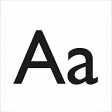
Andarilho, developed by Andarilho, is a geometric display typeface intended for branding and poster work. It provides clean, minimalist letterforms grounded in Gestalt perception theory and targets creative typography uses. Supplied as a TrueType Font, the download contains roughly 160 glyphs and a very small file footprint, making the face easy to add to design workflows. The font suits graphic designers and web developers who need a restrained, contemporary display face for identity and promotional work.
What the font changes about desktop and design workflows
Andarilho functions as a display typeface, replacing or supplementing system or application fonts for headings, logos, and poster layouts. Its geometric, minimalist construction emphasizes visual grouping and pattern recognition, which designers can use to create consistent typographic hierarchies. Designers add it to the system fonts folder or load it inside layout and vector apps to use the face for large-size text and identity elements where letterform geometry is the primary concern.
How much typographic control the face offers for branding work
The font provides a single, geometric style rather than multiple weights or variable axes, so control focuses on spacing and pairing rather than internal weight changes. The package includes approximately 160 glyphs, covering basic Latin, numbers, and punctuation. That set lets designers craft concise headlines and wordmarks but limits use when extensive diacritics or extended language coverage is required, so designers must confirm character coverage before wide deployment.
How it integrates with systems and what it requires from the desktop
Distributed as a TrueType Font (.ttf), the face installs on Windows and other desktop systems without additional drivers. The file size is small (around 12–23 KB), which keeps disk and memory impact negligible. Typical desktop behavior is a single background presence in font lists; design applications read the face like any other system font, and no persistent helper process runs while the font is active.
How easy it is to adopt in daily projects and where it fits best
Installation is straightforward for users familiar with desktop fonts: place the .ttf in the system Fonts folder or use the OS font installer, then restart design apps to access the face. The developer attributes and Gestalt inspiration make it suitable for identity work, posters, and web headings where a minimalist geometric tone is desired. Consider testing font pairing and legibility at display sizes before committing to long body text use.
A focused choice for designers seeking geometric display typography
Andarilho is a concise option for creative professionals who prioritize geometric letterforms and minimalist display use. Its small footprint and TrueType compatibility make it easy to try in layouts, and its design intent supports visual harmony in branding projects. Designers needing broader language coverage or multiple weights should verify character support and plan fallbacks before finalizing multilingual or large-scale editorial work.